11-12 Computer Lab News: Week Ending 09/16

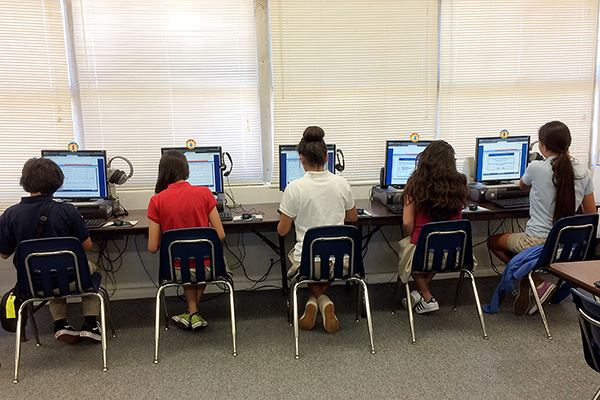
Thanks to the parents who stopped by the Computer Lab during Back to School Night. It was nice to chat with you. Here’s what we’ve been up to this week in the lab:

8th Grade: The 8th graders are continuing to work collaboratively on presentations about the Computer Lab Rules. They are working together in Google Documents writing scripts, raps and assigning tasks for their presentations. They will be actually giving their presentations next week.

7th Grade: To introduce MLA Formatting and review how to format a document in Microsoft Word, 7th Grade is working on a writing assignment that has them using correct formatting and their imaginations. They are describing what a day would be like if they woke up to no electronic technology – no TV, no car, no iPod, no Internet, etc. Can you imagine that? Can you imagine that if you were 12 or 13?

6th Grade: 6th Grade is also learning about MLA Formatting and setting up proper formatting in Microsoft Word. They are picking a theme song and writing a paragraph or two to explain why that song is their theme song for this school year.

5th Grade: 5th Grade was read The Important Book and talked about the format of the information in the book. They are currently creating self-portraits in Paint and will then write their own important information about themselves in Microsoft Word. 5th Grade will also learn about MLA formatting and will use this formatting for their document.

4th Grade: 4th Grade is in the middle of an All About Me project where they are creating a self-portait using Paint and then researching information about their names and they day they were born. They will be putting their portrait and the research information together into a Microsoft Word document using an MLA format.

3rd Grade: 3rd Grade finished up their self-portraits in KidPix and then spent some time exploring Jumpstart 3rd Grade. Jumpstart 3rd Grade is educational software that students will use throughout the year when they finish assignments early.

2nd Grade: 2nd Grade finished their self-portraits in KidPix and spent some time in Jumpstart 2nd Grade which is an educational software program that they will use throughout the year. They have started creating a Microsoft Word document that includes their self-portrait and an acrostic poem they are writing about themselves. They are learning how to change fonts and font sizes and how to add pictures to a Word document.

1st Grade: 1st Graders worked on their self-portraits in KidPix. When they were done with that, they used Jumpstart 1st Grade which is an educational software program they will be using throughout the year.

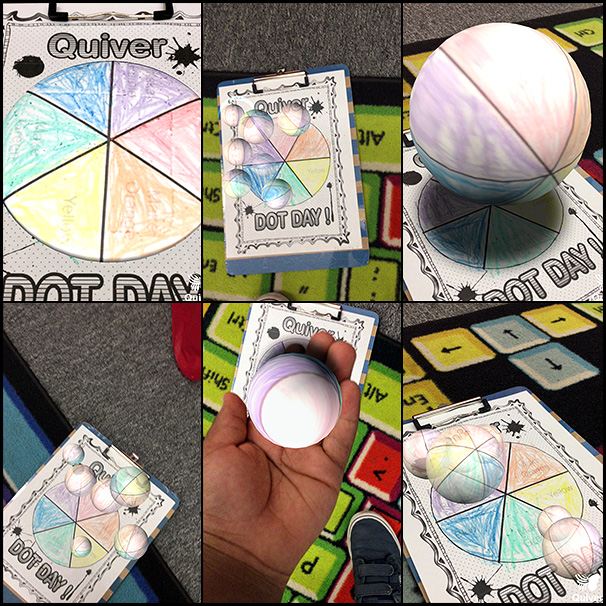
Kindergarten: Did you know that September 15th is International Dot Day? Over 13,000 students world-wide participated in this event and our Kindergarten class was part of it too. They listened to Peter Reynold’s Book, The Dot, and then learned how to draw dots in KidPix. Students then created their very own dot pictures in KidPix and signed them which is tough to do with a mouse! If you came into the Computer Lab during Back To School Night, you saw these on display but if you missed them, here are Kindergartens’ dots!
IMG_1400

Welcome to the 2011-2012 School Year

Cute BeeThe first week of school is done and the Computer Lab was already buzzing with activity. All grades reviewed the Computer Lab Rules and then had a little time to actually do something on the computers too!

Kindergarten: Kindergarten students are always so excited to come to Computer class. We spent some time talking about how to hold a mouse and played on some web sites to practice moving the house and clicking the mouse.

1st Grade: 1st Grade also reviewed how to hold the mouse and click and double-click and played a few mouse games too!

Do you want to play some mouse games yourself? Try your hand at the MiniMouse Games.

2nd & 3rd Grade: After the rules review, 2nd & 3rd graders jumped in to KidPix and started drawing their self-portraits. These should be done and on display in the Computer Lab for Back To School night.

4th-8th Grade: These grades spent time reviewing not only the rules but the Online Responsible Use Contract also. This is due back this week. If your child did not bring one home for you to sign or review, you can print one to sign and return. Students in these grades also took an Internet Usage Survey and I will be sharing the results of this at a Parent Internet Safety Night and on this blog. 8th Grade didn’t spend as much time talking about the rules because they are hard at work on their first assignment which is to create group presentations to tell me what each of the rules should look like in the Computer Lab. They have heard the rules every year so now it’s their turn to teach them!

I will be sharing completed work in our Bizzy Bee Scrapbook and you can see more details about what each class has been doing on the Computer Lab Wiki – just click on the beehive for your child’s grade. Don’t forget to stop by the Computer Lab during Back-to-School Night if you have a Kindergarten through 5th Grade student. I’d be happy to show you where your child sits in the lab and talk to you about what we have planned for the year.

Welcome to the 2010-2011 School Year

Wow, September is almost over and this is the first chance that I have had to update this blog. We’re already busy in the computer lab and all grades have completed their first project of the year in honor of International Dot Day!

Dot Day 2010

After enjoying the book, The Dot, all students created their own dot (or dots). Dot Galleries for Kindergarten through 4th Grade are now available on the Computer Lab Wiki – you can view them individually by going to the Techno Star Scrapbook page and selecting each grade. The galleries for 5th-8th grades will be added soon!

In addition to celebrating International Dot Day, students have also been learning and doing other things in the lab:

  • Kindergarten & 1st Grade have done some mouse exercises to learn or practice mouse skills
  • Kindergarten through 5th Grade have drawn (or are drawing) self-portraits using KidPix or Paint.
  • Middle School is busy reviewing how to format Book Reports and Science Labs and how to create Crossword Puzzles in Excel.

Starting in October, 4th through 8th Grades will be getting their very own class blogs where they will be updating what is happening in the lab themselves!

Computer Lab News 0910 – 8th Grade

Wow, what a year it’s been! 8th Grade has been really busy in the Computer Lab this year. Here’s a recap of what they’ve done:

September: 8th Grade started the year listening to President Obama’s Back to School speech and setting goals for the new school year and contributing to a VoiceThread about those goals.  They then created self-portraits and a resume, reviewed how to format papers for English and Science Labs and did a short Keyboarding assessment to gauge where they were in their keyboarding skills to start the year.

October: October kicked off with a review of basic Internet Safety and the month ended with creation of Leaf people in KidPix and writing of Bio Poems for their Leaf people.

November: During November, 8th grade created their very own Home Pages on the Computer Lab wiki and set some safety rules for themselves on those pages. As November came to an end, 8th Grade created turkeys in KidPix to celebrate Thanksgiving.

December: Since December means Christmas, one project completed during December was a rewrite of the Twelve Days of Christmas with a partner using Scribblar to collaborate on the project. This project kicked off with a really fun rendition of the Twelve Days of Christmas used as inspiration:

January: 2010 started out with a few catch up days for those students who hadn’t completed their Wiki Home Pages or other projects. 8th Grade then began creating short videos to educate younger students about Internet Safety. They used PowerPoint to put together slides which they exported as images and then created the video using Animoto.

February – April: There was more work on the Animoto videos and then alternate versions were created using Flixtime and PowerPoint uploaded to the web at authorSTREAM and finally Windows MovieMaker uploaded to SchoolTube. At the end of the project, all completed versions were posted to the wiki and the students compared the tools that they had used. More than 50% of the class said they could see themselves using both Animoto and Flixtime for their own projects at home. Here’s what they had to say about the different tools they used:

Easiest To UseFastest To Use0910AFP-FlexibleBest Music ChoicesEnjoyed The Most

Also during this time, 8th Grade participated in World Math Day, helped 7th Grade out with a survey project they were doing and voted for their favorites of the videos they had created.

May: May was Keyboarding time. 8th grade spent five classes working on their keyboarding skills. As 8th grade moves on to high school and then college, they’ll be called on to do more and more typing so we like to spend some time on refreshing keyboarding skills.

Now, it’s nearly the end of the year and 8th grade is working on their final project which will be previewed at the Graduation Breakfast!

If you would like to see some of 8th Grade’s completed work, you can find it in our Safari Scrapbook on the Computer Lab Wiki.

Computer Lab News Kindergarten: Weeks 30 – End of Year

Let’s start out by sharing some projects that were previously completed. Our first share is the Dinosaur Math & Art project:

Kindergarten & 1st Grade’s pictures from Easter have been put in to a slideshow for your enjoyment:

For Earth Day, Kindergarten was read the Dr. Seuss book, The Lorax and then they drew pictures in KidPix showing what they think the Lorax’s world looked like after the boy was given the seed. You can see the pictures on our Earth Day page on the wiki along with the projects completed by other grades for Earth Day.

Kindergarten was also busy at the end of the year finishing up their Adventures In Keyboarding project which were printed as mini-books. I hope that you had an opportunity to see them and that you realize that your student typed all of the words themselves! They all did a great job.

Kindergarten’s final project for the year were Ladybug Math Books. This project started out with the reading of the Eric Carle book, The Grouchy Ladybug and watching some ladybug videos. Each Kindergartener then drew a picture of a Ladybug and then completed the Ladybug Math Book in PowerPoint which covered the following math concepts:

  • Counting (entry of number into a text box)
  • Pattern Recognition & Completion (dragging graphic which completes pattern into a box)
  • Matching of Number Words to a Number (drawing a line with the drawing tool)
  • Matching of Time to the Hour to a Clock, this includes references to The Grouchy Ladybug (drawing a line with the drawing tool)

Kindergarten was very busy at the end of the year but they still had time to play some educational games including trying out JumpStart 1st Grade!

Computer Lab News 1st Grade: Weeks 30 – End of Year

First, Kindergarten & 1st Grade’s Easter pictures have been put in to a slideshow for your enjoyment:

1st Grade was busy at the end of the year finishing up their Adventures In Keyboarding project. These were printed as mini-books and I hope that you had an opportunity to see them. All of the students did a great job using the keyboard to type in all of the words themselves.

For Earth Day, 1st Grade discussed things that we can do to help the earth and then drew a picture in KidPix to show why they love the earth:

1st Grade also were measured again for the How Tall is a 1st Grader project, drew a picture to illustrate comparative heights and played some measurement related online games. Check out our How Tall page to see how much our 1st Graders grew and to watch a slideshow of pictures drawn by the 1st Grade to show comparative heights.

Did you receive your Mother’s Day card? 1st Grade created these using Kerpoof Studio which can be used at home too.

The computer lab partnered up with the 1st Grade art program to help colorize pictures that each 1st grade student had taken. Using a program called, PhotoFiltre, each student colored their close up image 4 times. These were then printed by the mom doing the art program and put on to canvas. I was lucky enough to get one as a gift from the 1st grade. I hope you loved yours as much as I love mine!

1st Grade 2009 Photography Art Project

As if that’s not enough, 1st Grade also spent time on various web sites playing educational games and even had a chance to try out Jumpstart 2nd Grade!

Computer Lab News 2nd Grade: Weeks 30 – End of Year

For Earth Day, 2nd Grade discussed why they love the earth and things that we can do to help the earth. Each student then created original artwork using KidPix and these were added to the PlanetFesto ribbon along with their ideas of what they could do to help the earth. After this was completed, 2nd Grade used the PBS site, Eeko World which is designed to help children between the ages of 6 and 9 learn about the important role they can play in taking care of the earth.

The students continued to work on their typing skills using the Dance Mat Typing site. They will continue to use this site in 3rd Grade. 2nd Grade also practiced their Money Skills on various web sites, created a Mother’s Day Wordle which I hope made it home, practiced writing paragraphs in Word and played a variety of educational games to end the year including trying out Jumpstart 3rd Grade!

Next year, these students will participate in the Monster Project as well as continuing to learn about Internet Safety, Microsoft Office Products and Keyboarding.

Computer Lab News 3rd Grade: Weeks 30 – End of Year

3rd Grade’s final project for the year was to write and record their reflections about the Monster Project. This was a very fun project and the 3rd Grade students did a wonderful job, drawing, writing and reflecting:

After the Monster Project was complete, 3rd Grade ended the year by trying to help the robot Botley save the world from Polly Sparks’ attempt to change history by playing the educational game, Jumpstart 3rd Grade.

3rd Grade’s Plant Life Cycle projects did finally get posted to the Travel Scrapbook but in case you missed them, here they are.

Computer Lab News 4th Grade: Weeks 30 – End of Year

4th Grade finished off the 2008/2009 year by completing their Keyboarding Boot Camp and finish the last two Voices of the World Projects. The goal of Keyboarding Boot Camp was to improve keyboarding technique which will in turn improve keyboarding speed. The average increase in speed during the 12 class session was 60% with an average typing speed of 20wpm. All but two of the 4th grade students met or exceeded their goal for the class. Keyboarding instruction will continue in 5th Grade and beyond.

The April Voices of the World Project was all about the planets. Each 4th grader drawing a planet (or the sun) and then recorded themselves saying their planet’s name. This project included Pluto even though Pluto is not considered a planet any more. 4th Grade also visited some web sites about the planets to see what each planet looks like and read some facts about the planets and used an online image editor called SUMO Paint to create the planet pictures.

May’s task was a celebration of the two years of the Voices of the World project. Each school was to say in their own language: Happy Anniversary, Two years of Voices of the World, Congratulations all.

Finally, 4th Grade took an End of Year Survey about the projects and activities they did in the computer lab during the year. As you can see from the results, the favorite activity for the year was the Tongue Twisters. If you haven’t watched and listened to this one you really should.

4th Grade Favorites

Coming in as the least favorite project or activity for 4th Grade was Keyboarding Boot Camp. Interestingly though, the majority of the 4th Graders hope to learn how to type better in 5th Grade.

4th Grade Least Favorites

The votes for the Most Useful Project or Activity were split between many projects and activities with the Computer Parts & Internet Safety activities slightly edging out others.

4th Grade Mose Useful

I look forward to having this class in 5th Grade and look forward to seeing how fast some of them will be typing by the time the enter Middle School!